Floor plan to CAD converter
Drop a floor plan PDF below. Walls, doors, furniture and room names come out as an editable DXF, and two clicks on a known wall bring the plan back to real size.
Updated 30 October 2026
Drop a PDF here or click to choose one
Converted on your device. Nothing is uploaded. Several PDFs at once with the batch pass.
PDFs to convert (every page of each, at paper size, one DXF per PDF in a ZIP):
This floor plan to CAD converter turns the PDF an architect, estate agent or builder sent you into a DXF you can edit in AutoCAD or any other CAD program. It runs in your browser, so the plan of a client’s home never leaves your computer.
Floor plan PDF to CAD in three steps
- 1Drop the planthe preview shows the page; pick the floor if the PDF has several
- 2Set the scaleclick both ends of a dimensioned wall and type its length, such as 10 000 mm
- 3Download the DXFwalls, doors, furniture and room names on layers by colour
What does a converted floor plan look like?
We drew a test apartment of 10.0 x 7.2 m at 1:50 on A3, the way an architect’s program exports it, and ran it through the converter above.
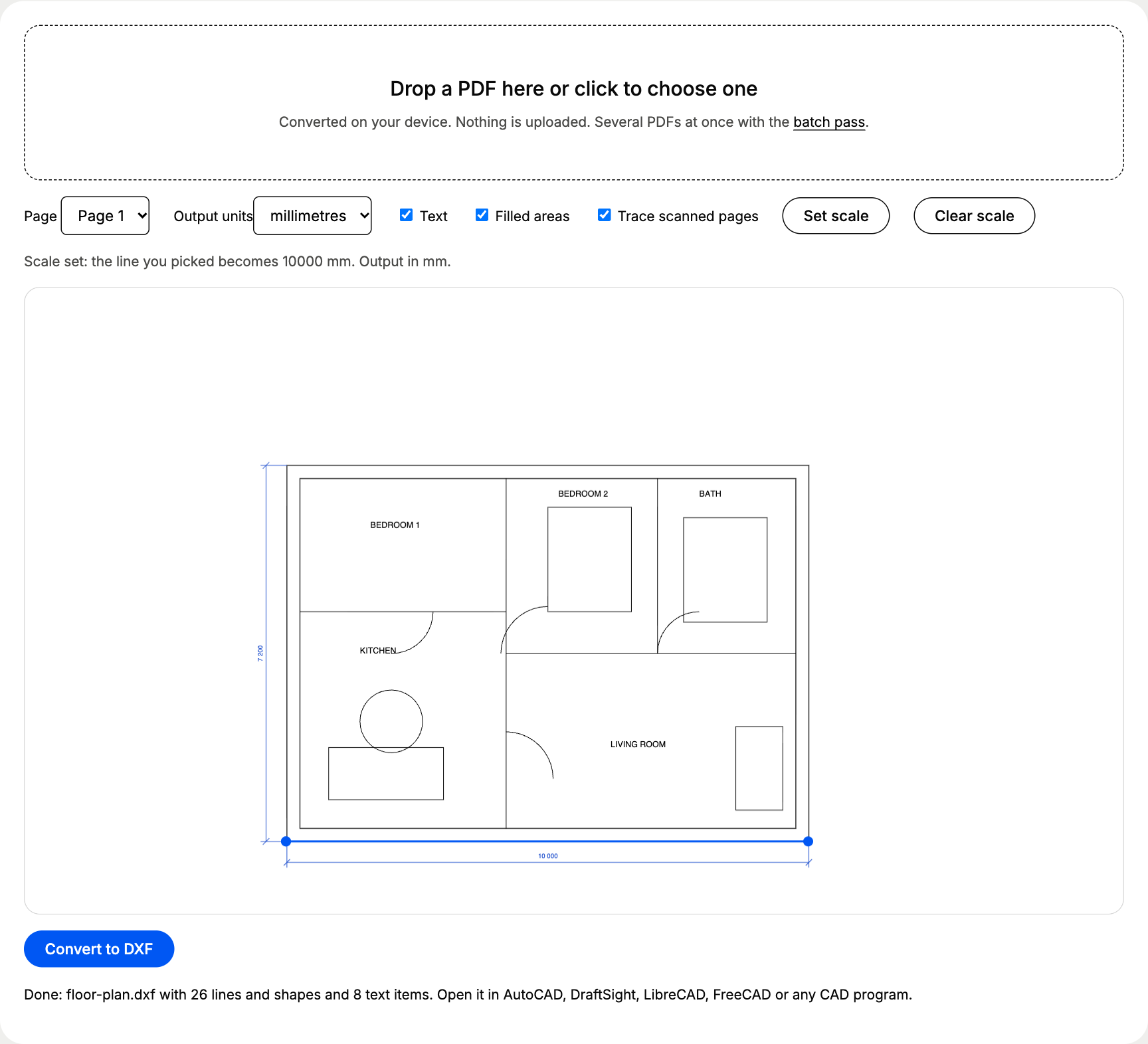
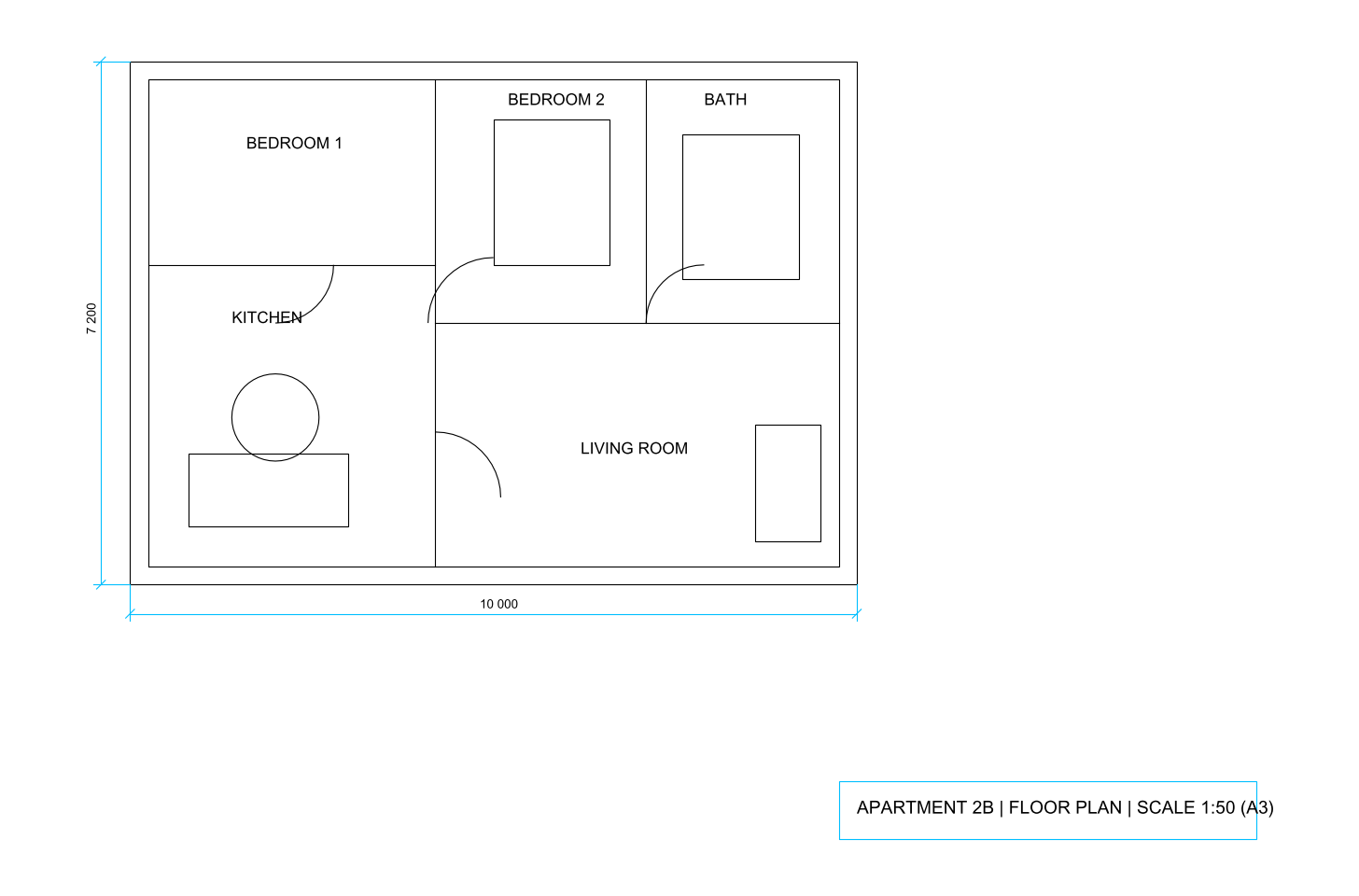
Download both and try them in your own CAD program: floor-plan.pdf and floor-plan.dxf.
Which settings matter for floor plans?
| Setting | What to choose | Why |
|---|---|---|
| Output units | Millimetres in metric countries, inches in the US | Matches the dimensions printed on the plan |
| Set scale | A long outer wall with a printed dimension | Longer lines mean a smaller error from your clicks |
| Text | On | Room names and dimension figures stay editable |
| Filled areas | Off for clean walls, on for hatched walls | Solid wall fills come across as closed outlines on their own layer |
| Trace scanned pages | On | Only used when the page turns out to be a scan |
Why does the scale matter so much on a floor plan?
Floor plans are drawn small. The same 10 m wall is a very different length on paper depending on the scale printed in the title block:
Length of a 10 m wall on the printed sheet
| 1:20 | 500 mm |
|---|---|
| 1:50 | 200 mm |
| 1:100 | 100 mm |
| 1:200 | 50 mm |
So check the title block first. If it says 1:100 but the plan was printed with “fit to page”, the printed scale is no longer true, which is one more reason to scale from a dimension rather than from the label. Our guide on how to scale a PDF drawing walks through the edge cases.
Vector floor plan or scanned floor plan?
What you get from each kind of floor plan PDF
Scanned or photographed plan
- Ink traced into outlines around every line
- Room names arrive as shapes, not text
- About 0.4% size error from line thickness and skew
- Good as a background to redraw over
Plan exported from CAD or BIM
- Exact lines, arcs and polylines
- Room names and dimensions as editable text
- No measurable size error after scaling
- Ready to edit, dimension and print
Not sure which one you have? Zoom in on a wall: a vector plan stays sharp at any zoom, a scan turns blurry. For scans, see scanned PDF to CAD; if your office needs DWG, convert here and save as DWG (PDF to DWG).
What do architects do next with the DXF?
Most put the converted plan on a locked background layer and draw new walls over it: an extension, a kitchen layout, a measured survey check. The PDF to CAD Handbook covers that workflow step by step in converting architectural PDFs to CAD, including layer clean-up and the 1:50 and 1:100 conventions.
Questions about floor plan to cad converter
Will the walls come out as walls?
They come out as lines and polylines, exactly as the architect's program drew them. CAD programs only know walls as objects inside BIM software; a converted plan gives you the geometry to trace over or edit.
My floor plan says 1:100 but the DXF is tiny. Why?
A PDF stores paper size, so a 10 m wall at 1:100 is 100 mm on the sheet. Click Set scale, pick both ends of a dimension you know and type its real length: every line is multiplied to real size.
Can I convert a floor plan photo or scan?
Yes. The converter traces the ink of a scanned page into outlines. It works as a guide to redraw over; a PDF exported from the architect's software converts far more cleanly.
Which CAD programs open the result?
Every one that reads DXF: AutoCAD, AutoCAD LT, BricsCAD, DraftSight, LibreCAD, QCAD, FreeCAD, SketchUp Pro, Vectorworks and ArchiCAD among them.