How accurate is the PDF to CAD converter?
We made five test drawings with known sizes, converted them and measured every DXF. Here are the numbers, the files and what they mean for your own drawings.
Updated 30 October 2026
The short answer: a vector PDF converts with no measurable error, the scale tool adds a few hundredths of a percent, and a traced scan is good to about half a percent. Those numbers come from five test drawings we drew with exact sizes, ran through the same converter you use on the home page and measured in the DXF with ezdxf, the open-source Python library for DXF files.
Which drawings did we test?
| Test file | Sheet and scale | What it checks |
|---|---|---|
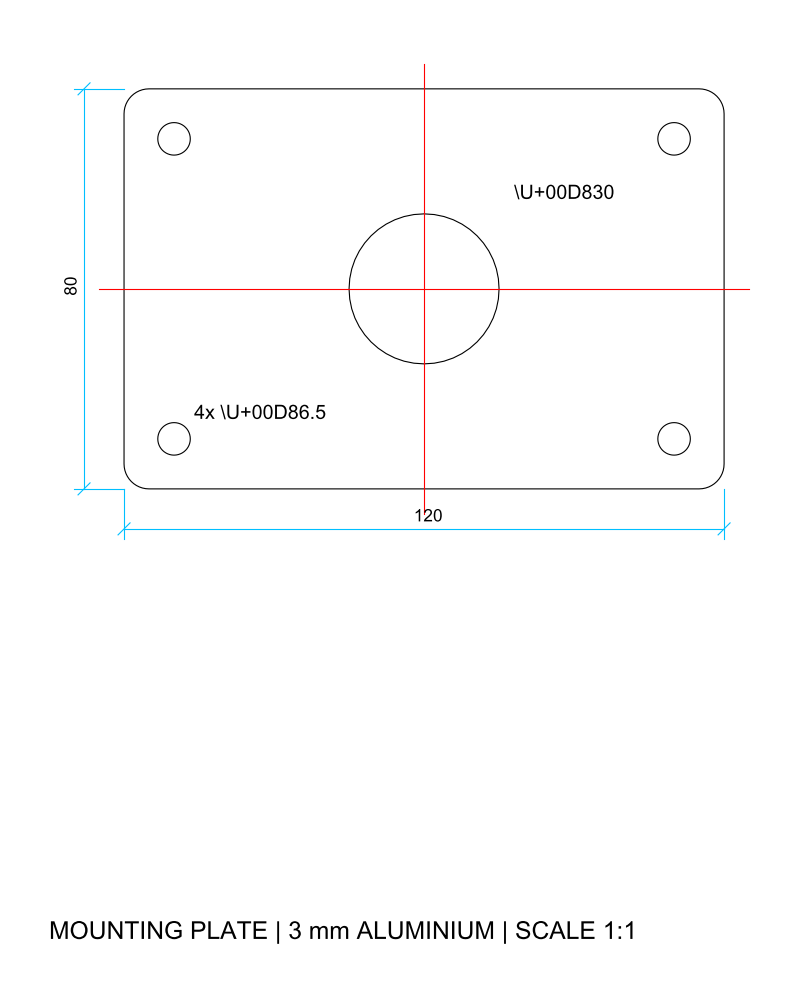
| Machined plate | A4, 1:1 | 120 x 80 mm outline, four 6.5 mm holes, a 30 mm bore |
| Laser-cut sign | A4, 1:1 | 200 x 100 mm rounded outline, 5 mm holes, curves |
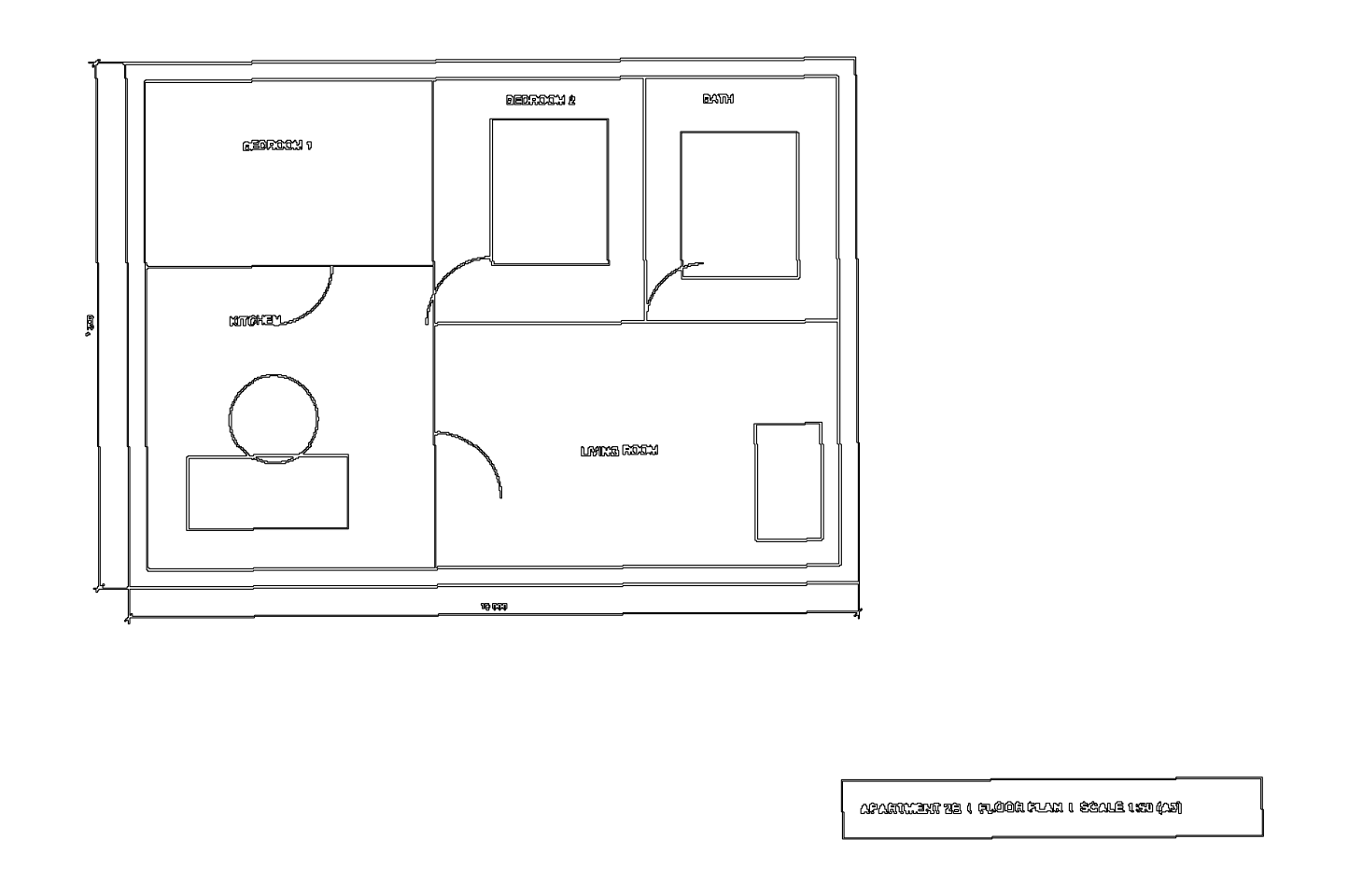
| Floor plan | A3, 1:50 | 10 000 x 7 200 mm apartment, doors, text, dimensions |
| Floor plan, scale tool | A3, 1:50 | the same plan scaled with two clicks in the browser |
| Scanned floor plan | A3, 200 dpi | the plan printed to an image, skewed 0.4 degrees, traced |
Each file was made with reportlab, a Python PDF library, so the true size of every line is known. The three vector files were converted with the converter code itself; the scale tool and the scan went through the live converter in Chrome, the same way you would use it.
How far off is each test?
Error on the longest outer edge, in millimetres
| Machined plate | 0.0 mm |
|---|---|
| Laser-cut sign | 0.0 mm |
| Floor plan | 0.0 mm |
| Floor plan, scale tool | 3.6 mm |
| Scanned floor plan | 38.0 mm |
The vector results are exact because the converter copies the coordinates the PDF stores and multiplies them by one factor. The only rounding is the DXF’s six decimals.
How round are the circles?
A PDF stores a circle as four Bezier curves, and the DXF R12 format has no Bezier, so each curve becomes 12 straight segments. The question is how far those segments stray from the true circle.
Largest deviation from a true circle, in millimetres
| 5 mm hole | 0.006 mm |
|---|---|
| 6.5 mm hole | 0.008 mm |
| 30 mm bore | 0.036 mm |
For CNC milling of large arcs, a curve-fitting step in your CAM program (or the CAD command that converts polylines to arcs) gives true arcs again.
What do the files look like?
Can I check the results myself?
Yes. Download the test files, convert them here and measure the DXF in your own CAD program.
| File | DXF from the converter | |
|---|---|---|
| Machined plate | plate.pdf | plate.dxf |
| Laser-cut sign | sign.pdf | sign.dxf |
| Floor plan 1:50 | floor-plan.pdf | floor-plan.dxf |
| Floor plan, scale tool | same PDF | floor-plan-scale-tool.dxf |
| Scanned floor plan | floor-plan-scan.pdf | floor-plan-scan.dxf |
The handbook explains the full test method, including the scoring we use when we compare converters: how we test PDF to CAD converters. For what happens to a PDF inside the converter, read how the converter works.
What can still go wrong with your own PDF?
- Printed with “fit to page”. The PDF is then a few percent smaller than the scale printed on it. Set the scale from a long known dimension and the error disappears.
- Text turned into outlines. Letters arrive as shapes. Their size is right; you just can’t edit them as text.
- Several scales on one sheet. A detail at 1:5 next to a plan at 1:100 needs two conversions, each with its own scale.
Questions about pdf to cad converter accuracy
Can I trust the measurements in a converted DXF?
For a vector PDF, yes: our test outlines came back exact to 0.001 mm at paper size and at 1:50. Check one known dimension after conversion anyway, because the PDF itself may have been printed with fit to page.
Why is the scale tool slightly off?
You pick the two points by clicking, and a click lands within a pixel or two of the line end. On a 10 m wall that cost 3.6 mm (0.036%). Zoom the browser in and click on long lines for the best result.
How accurate is a traced scan?
Our scanned floor plan came out 0.4% too large (38 mm on 10 m), because tracing follows the outside of each ink line and the scan was skewed by 0.4 degrees. Redraw over the outlines for anything you build from.