How the PDF to CAD converter works
Everything happens in your browser: the PDF is read, turned into CAD geometry and saved as a DXF on your own computer. Here is each step, with what it does to your drawing.
Updated 30 October 2026
The converter on this site is a small program that runs inside your browser tab. When you drop a PDF, nothing is sent to a server: the file is read from your disk, converted in memory and saved back to your disk as a DXF. That design choice shapes every step below.
From PDF to DXF in four steps
What happens when you drop a PDF?
The page uses pdf.js, the open-source PDF engine Mozilla builds for Firefox. It reads the drawing commands stored in the PDF: “move here, draw a line to there, draw a curve, fill this shape, write this text”. A PDF made by a CAD program, Revit, ArchiCAD or Illustrator stores the drawing as exactly these commands, which is why a vector PDF converts cleanly.
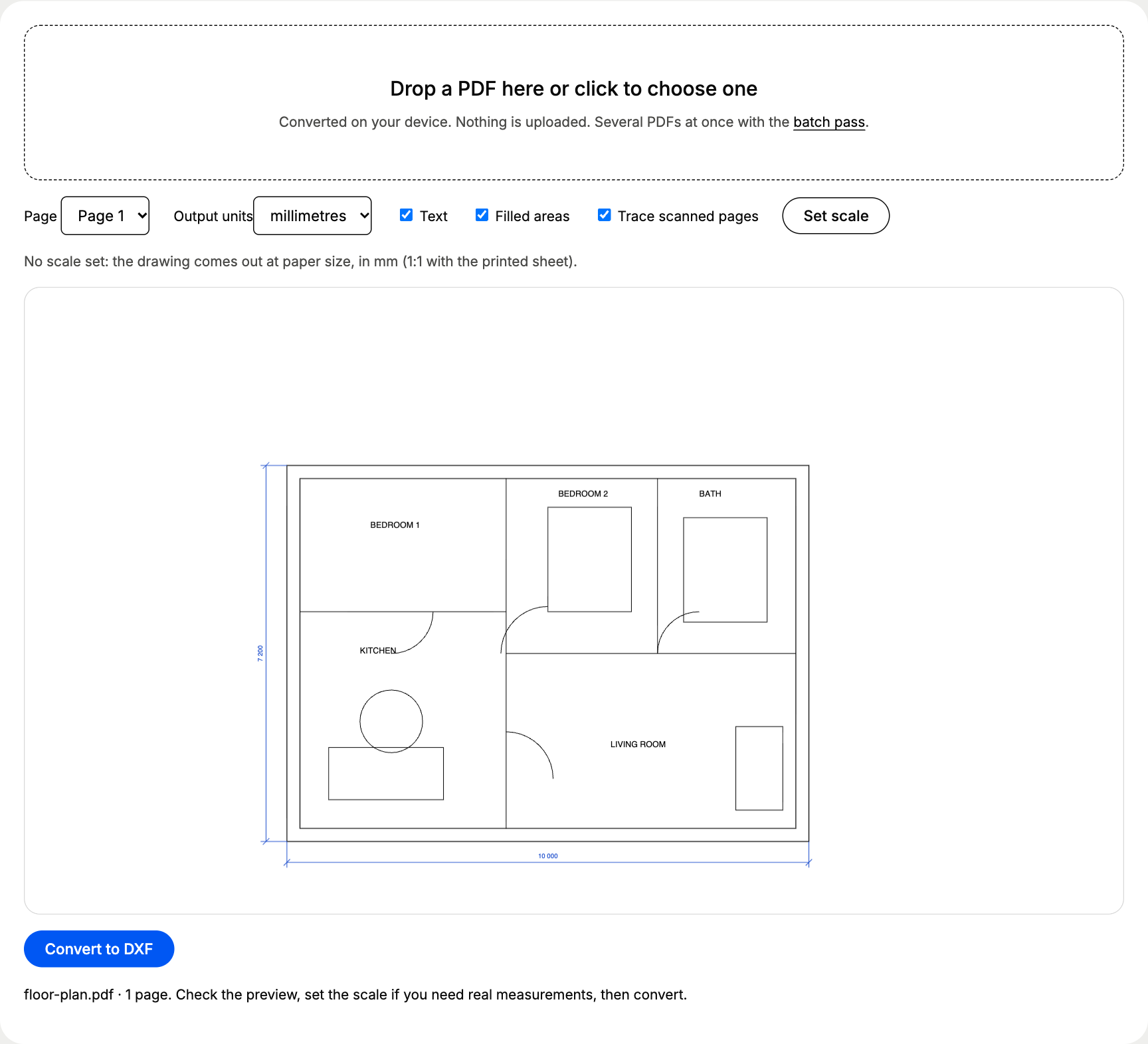
What becomes what in the DXF?
| In the PDF | In the DXF file |
|---|---|
| Straight line with two points | LINE |
| Connected path, rectangle, outline | POLYLINE, closed when the shape is closed |
| Bezier curve, circle, arc | POLYLINE with 12 segments per curve (48 for a circle) |
| Text the PDF stores as text | TEXT with position, height and rotation |
| Line colour | One layer per colour, named after its code (PDF_0057F3) |
| Filled area | Closed outline on its own PDF_FILL layer |
The file uses the DXF R12 format. It is the oldest DXF version still in use and the one every program reads: AutoCAD, BricsCAD, DraftSight, LibreCAD, FreeCAD, Fusion, SolidWorks, SketchUp Pro, LightBurn and laser and plasma controllers. If you work in DWG, open the DXF and save it as DWG; see PDF to DWG.
How does the scale tool work?
A PDF only knows paper size. A 10 m wall drawn at 1:50 is 200 mm long on the sheet, so without a scale it arrives in CAD as 200 mm. Set scale fixes that: you click both ends of a line you know, type its real length, and the converter multiplies every coordinate by the same factor before it writes the file.
Setting the scale
- 1Click Set scalethe preview switches to picking mode
- 2Pick two pointsboth ends of a dimension or a wall you know
- 3Type the real lengthin mm, cm, m, inches or feet; output in mm or inches
In our accuracy results, two clicks on the 10 000 mm wall of a test floor plan gave a DXF that measured 9 996.4 mm: 0.036% off, because a mouse click lands within a pixel or two of the line end.
What happens to a scanned PDF?
A scan holds a photo of the paper, so there are no drawing commands to read. When a page has an image and almost no lines, the converter switches to tracing: it renders the page at up to 200 dpi, finds a light-dark threshold with Otsu’s method and follows the edges of the ink with imagetracer, a public-domain tracing library. The result is a set of closed outlines around the ink. They are good for snapping and redrawing, and they are never as clean as a vector PDF. More on that in scanned PDF to CAD.
What does the converter not do?
- It does not read DWG or create DWG directly; DWG is a closed Autodesk format.
- It does not turn traced scans into clean single lines; tracing gives the outline of each ink stroke.
- It does not recognise walls, doors or dimensions as objects. Everything arrives as geometry and text on layers, ready to edit.
Ready to try it on your own drawing? Convert PDF to CAD in this browser tab, for free.
Questions about how pdf to cad converter works
Is my PDF uploaded anywhere?
No. The page loads the converter once, and your browser does the rest. You can check it: open your browser's developer tools on the Network tab while you convert. No request carries your file.
Why DXF R12 and not a newer DXF?
R12 is the version every CAD, CAM and laser program reads, from AutoCAD 2027 to a 15-year-old plasma table controller. Newer versions add features a converted PDF never uses.
Why do circles come out as polylines?
A PDF stores circles as four Bezier curves. The converter turns each curve into 12 straight segments, so a circle becomes a closed polyline of 48 segments. On a 30 mm hole that stays within 0.04 mm of the true circle.