DXF to PDF converter
Drop a DXF below, choose the sheet, the scale and black or colour lines, then download a vector PDF. DWG files work in the same box.
Updated 2 November 2026
Drop a DWG or DXF file here or click to choose one
Converted on your device. Nothing is uploaded. Several drawings at once with the batch pass.
Drawings to convert (one PDF per drawing, with the options above, in a ZIP):
DWG files are read with LibreDWG, free software under the GPL. Source code.
This DXF to PDF converter prints any ASCII DXF to a clean vector PDF in your browser. Choose the sheet, pick 1:1 for a laser or CNC part or a drawing scale such as 1:50 for a plan, decide between black and colour lines and press Download PDF. The DXF stays on your computer the whole time.
Who needs a DXF printed as PDF?
DXF is the file that travels between programs: laser cutters, CNC routers, plasma tables, sign makers and every CAD program from AutoCAD to LibreCAD read and write it. The people who have to approve the part rarely have a CAD program. A PDF solves that: the customer signs off the bracket, the workshop checks hole positions on a 1:1 print, the planner sends a site plan to the client.
Here are the jobs we built it for:
- Proof before cutting: print the part at 1:1, lay the real material on it and check every hole.
- Customer approval: a PDF opens on any phone, with dimensions and the part number readable.
- Plans to scale: architectural DXF exports printed at 1:50 or 1:100 on A3 or A1.
- Archive: a PDF of each revision next to the DXF, readable in twenty years without CAD.
Do the measurements survive?
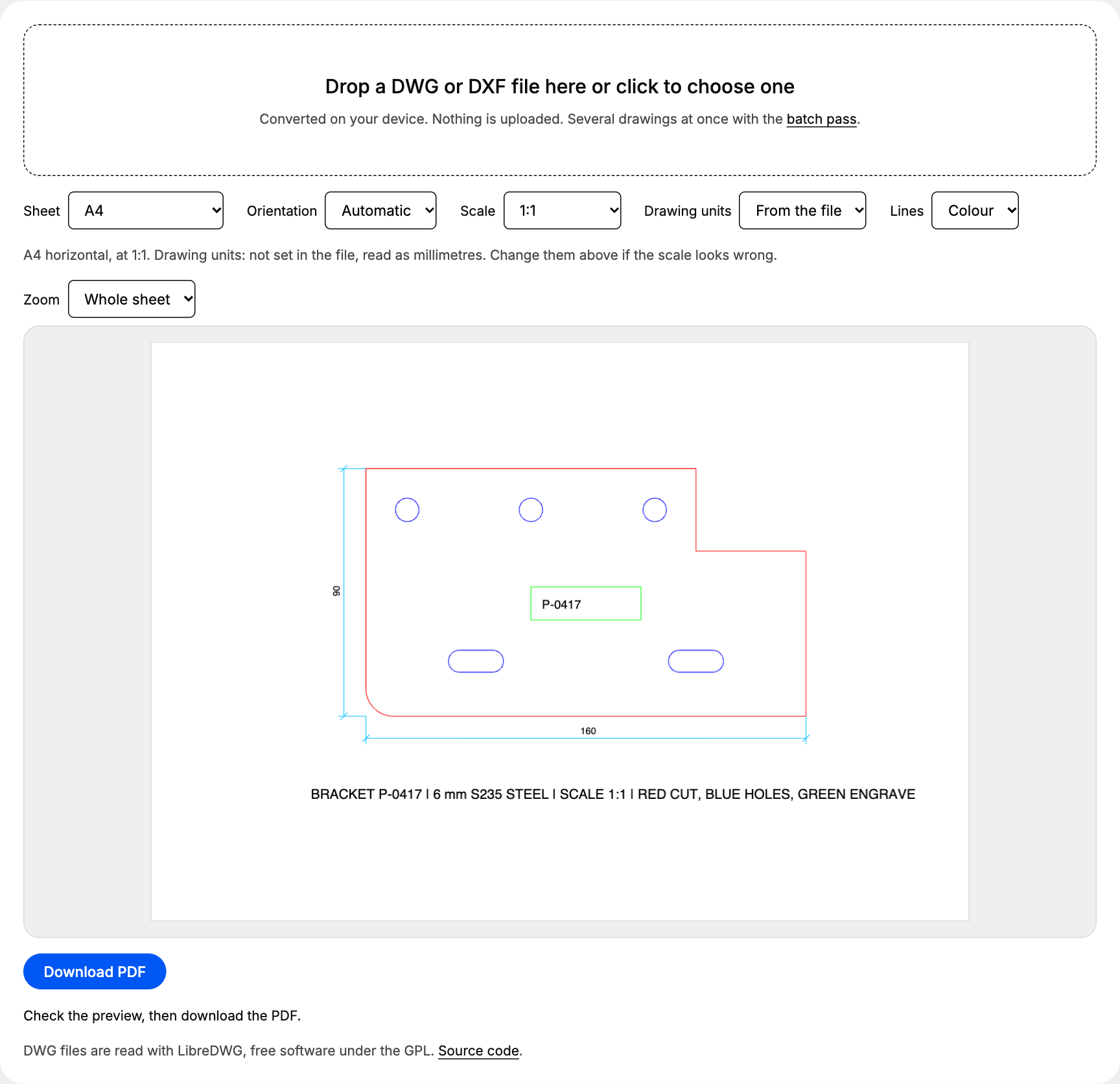
We printed the site’s CNC test bracket, a 160 x 90 mm steel part with three 8.5 mm holes and two slots, at 1:1 on A4. Then we converted that PDF back to DXF with our PDF to DXF converter and measured it.
The holes measure 8.501 mm in the original DXF as well, so the PDF step added nothing. Arcs and circles are drawn as fine straight segments that stay within 0.05 mm of the true curve on paper, far below the width of a pen line. Download the bracket and try it yourself: cam-bracket.dxf.
Black or colour lines?
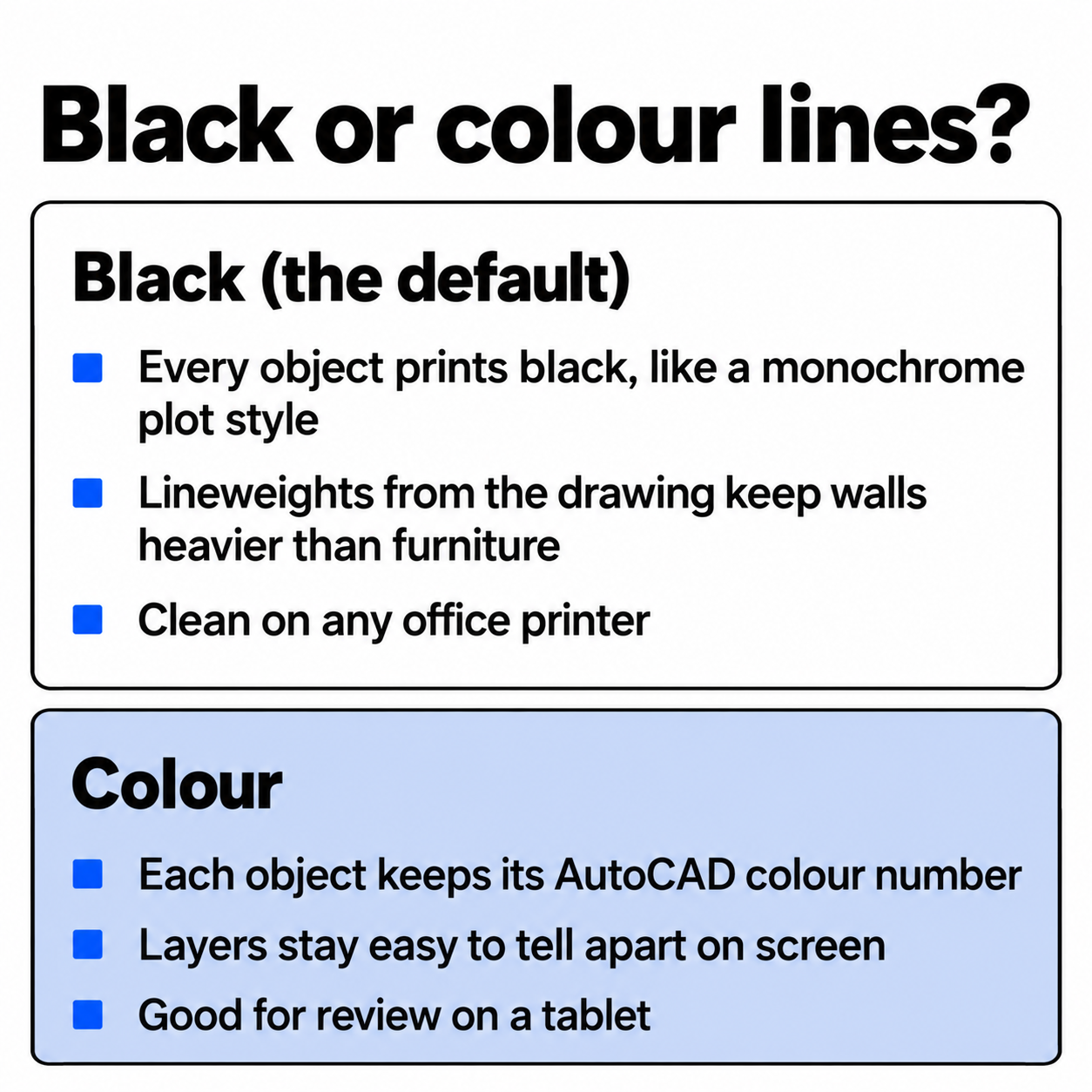
Laser and CNC files carry meaning in their colours: red for the cut, blue for holes, green for engraving in our bracket. Choose Colour under Lines and the PDF keeps every AutoCAD colour number. For a plan that goes to a printer, Black keeps thin grey furniture lines readable and saves colour toner.
Why does my DXF come out the wrong size?
Most DXF files from laser software, Inkscape and older programs never say which unit they are drawn in. The converter then reads millimetres and tells you so in the line above the preview. When the result looks wrong, the factor gives the cause away:
| PDF looks | Drawing was in | Set Drawing units to |
|---|---|---|
| 25.4 times too small | inches | inches |
| 304.8 times too small | feet | feet |
| 1,000 times too small | metres | metres |
| 10 times too small | centimetres | centimetres |
With Fit to sheet the units do not matter for the picture, only for the scale number the converter reports.
Which DXF files open?
ASCII DXF from R12 to the 2018 format: AutoCAD, AutoCAD LT, BricsCAD, DraftSight, LibreCAD, QCAD, FreeCAD, Inkscape and the DXF our own PDF to DXF converter writes. Text with accents and symbols such as Ø, ° and ± prints correctly. Binary DXF is not supported; the converter tells you to save it as ASCII.
A DXF saved with layouts prints them too: pick the layout under Print, and the sheet comes out with its title block and its viewports at their own scales. Layers that are off, frozen or set to not plot are left out, as in a real plot. Anything the converter cannot draw yet, such as AutoCAD tables or images, is listed above the preview with a count.
Several DXF files at once?
One file at a time, up to 20 MB, is free. The batch pass (€12 once, 24 hours, PayPal, no account) takes a whole folder of DXF and DWG files and returns one ZIP with a PDF per drawing, all with the sheet, scale and colour you picked. For DWG files and a measured floor plan, see the DWG to PDF page.
Questions about dxf to pdf
How do I convert DXF to PDF without a CAD program?
Drop the DXF in the box above. The converter reads it in your browser, shows the PDF page as a preview and downloads it when you press Download PDF. No install, no account and no upload.
My DXF prints far too small or far too big. Why?
The file has no drawing units set, so the converter reads millimetres. A part drawn in inches then prints 25.4 times too small. Set Drawing units to inches (or metres for a site plan) and the size is right.
Can I print a DXF at real size to check a laser part?
Yes. Choose Scale 1:1 and a sheet the part fits on, then print the PDF at 100 % (actual size). Our 160 x 90 mm test bracket printed on A4 and converted back measured 160.000 x 90.000 mm with 8.501 mm holes.
Which DXF versions work?
ASCII DXF from R12 up to the 2018 format, the formats AutoCAD, LibreCAD, QCAD, FreeCAD, Inkscape and laser or CNC software write. Binary DXF is not supported: save it as ASCII DXF first.