PDF to DXF without signing up
Drop the PDF below and click Convert to DXF. There is no account to create, no email box to fill in and no login wall in front of the download.
Updated 5 November 2026
Drop a PDF here or click to choose one
Converted on your device. Nothing is uploaded. Several PDFs at once with the batch pass.
PDFs to convert (every page of each, at paper size, one DXF per PDF in a ZIP):
You can convert PDF to DXF without signing up right on this page: no account, no email address, no login and no cookie banner between you and the file. The converter loads into your browser tab, reads the drawing there and saves a DXF R12 file (Drawing Exchange Format, release 12, the version every CAD and CAM program opens) to your Downloads folder.
That matters most for the one-off job. You have a spare-part drawing in a PDF manual, a workshop wants a DXF today, and you will never need a converter again. Creating an account for that, confirming an email and then landing on a mailing list is wasted effort.
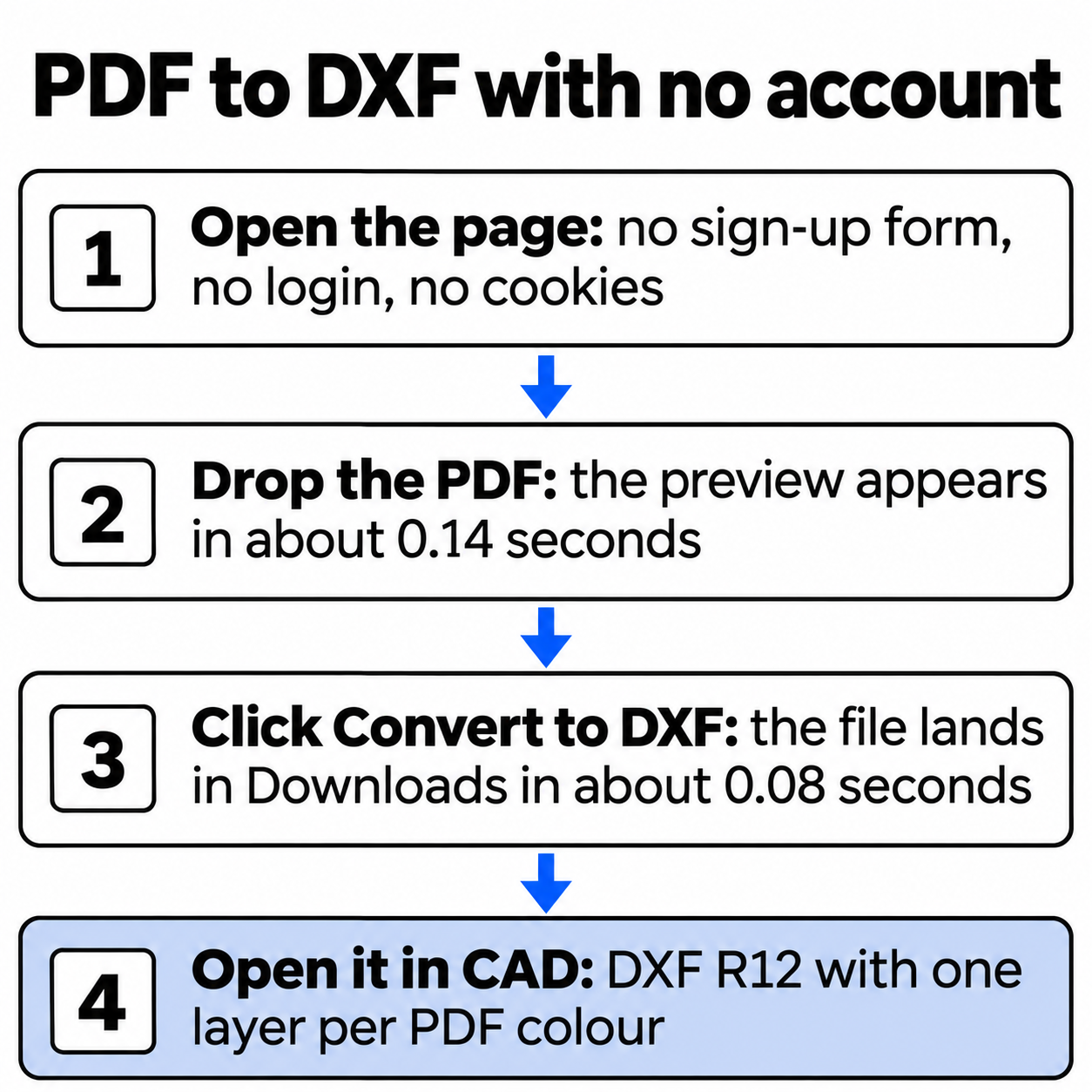
What does “no sign-up” mean on this page?
We checked it the strict way. A script opened the live converter in a fresh Chrome profile three times, converted the same PDF and then counted what the page had asked for and what it had left behind:
Speed came out the same way every time. From opening the page to a finished DXF took under 0.6 seconds of machine time, so the only real wait is you finding the file:
Where the time goes, from opening the page to a saved DXF
| Page load | 279 ms |
|---|---|
| PDF read and preview | 138 ms |
| Convert and save | 81 ms |
How do you convert a PDF to DXF without an account?
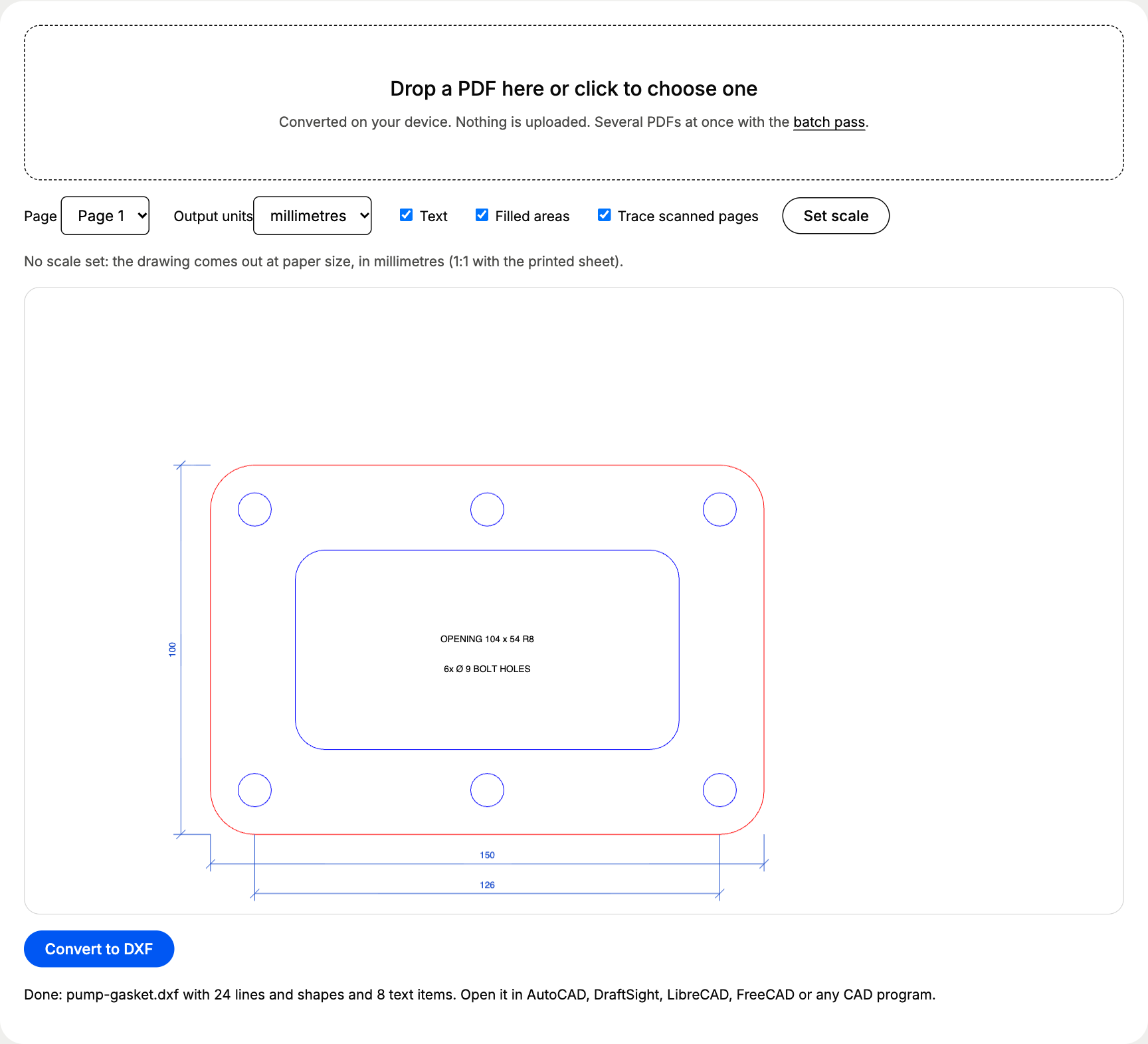
- Drop the PDF on the box above, or click it and choose the file. A preview appears; pick the sheet if the PDF has several pages.
- Set the scale if the drawing is not 1:1: click Set scale, click both ends of a known dimension, type its real length and click Apply. Drawings at 1:1 skip this step.
- Click Convert to DXF. The browser saves the file under the PDF’s own name, ready for AutoCAD, DraftSight, LibreCAD, FreeCAD or a CAM program.
What does a one-off conversion look like?
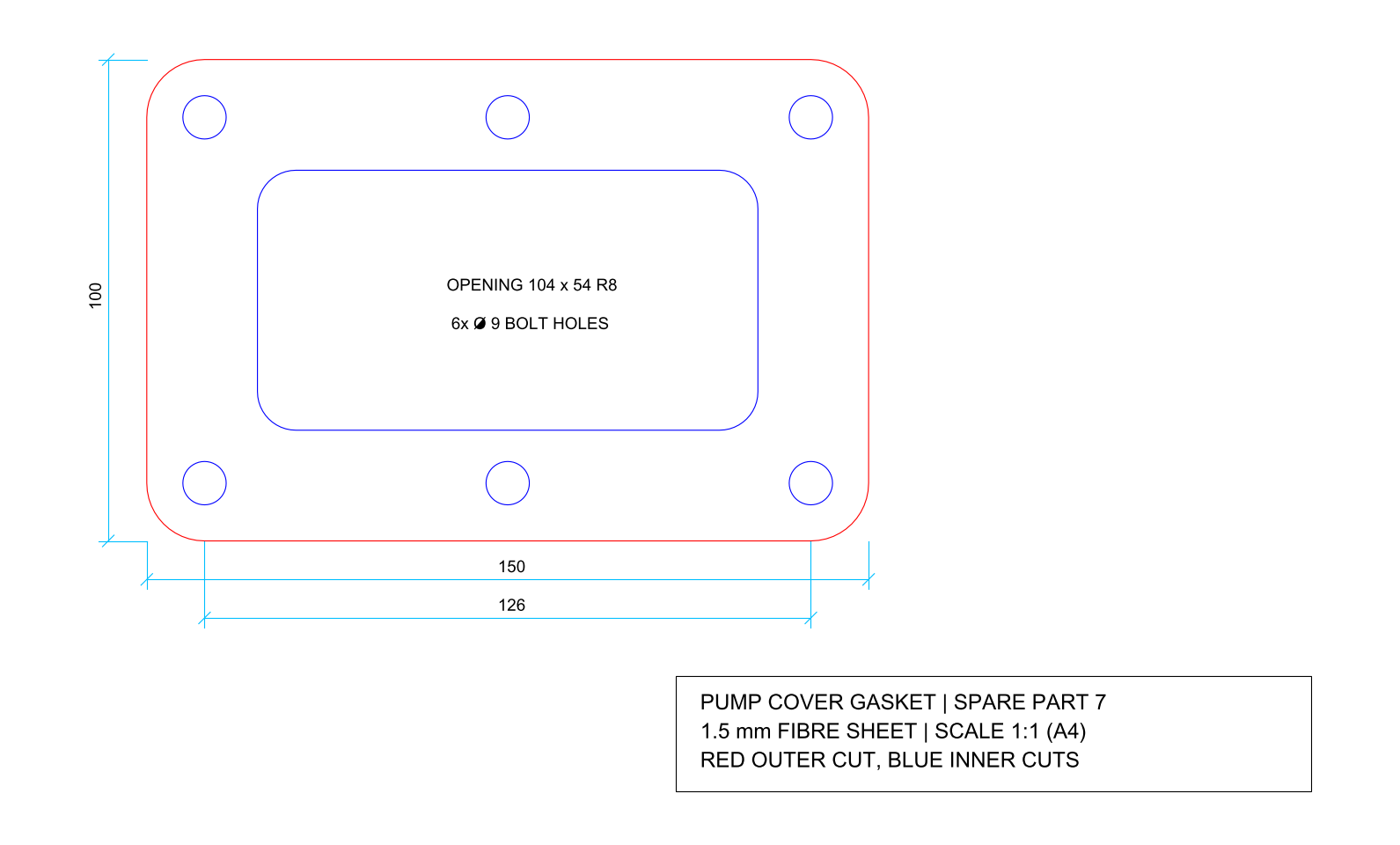
Our test is the classic job people do once: a pump cover gasket from a spare-parts PDF, 150 x 100 mm in 1.5 mm fibre sheet, drawn 1:1 on A4. Red is the outer cut with R12 corners, blue the inner cuts: a 104 x 54 mm opening with R8 corners and six 9 mm bolt holes on 126 mm centres.
| Layer | What sits on it | Entities |
|---|---|---|
| PDF_FF0000 | Outer profile, R12 corners | 1 closed POLYLINE |
| PDF_0000FF | Opening and six bolt holes | 7 closed POLYLINEs |
| PDF_1A4CCC | Dimension lines | 15 LINEs |
| PDF_000000 | Title block frame | 1 closed POLYLINE |
| PDF_TEXT | Labels, dimension figures, title block | 8 TEXT entities |
Measured in the DXF, the outline is 150.000 x 100.000 mm, the opening 104.000 x 54.000 mm and the bolt holes 9.001 mm. The ezdxf audit found 0 errors. Download both files and check them yourself: pump-gasket.pdf and pump-gasket.dxf.
Which settings should you check before you convert?
| Setting | What to choose | Why |
|---|---|---|
| Output units | Millimetres, or inches for imperial drawings | DXF R12 stores plain numbers with no unit |
| Text | Off for a cut file, on for a drawing you will edit | Labels and dimension figures have no place in a cutting job |
| Filled areas | On | Parts drawn as fills come across as closed outlines |
| Set scale | The longest known dimension | Drawings at 1:5 or 1:50 come out at paper size without it |
| Trace scanned pages | On for scans | Vector PDFs ignore it; scans become traced outlines |
For the gasket, a waterjet or knife cutter only needs the red and blue layers. Switch Text off before converting, or freeze PDF_TEXT and PDF_1A4CCC in your CAD program, and the file holds nothing but the cuts.
What do you get without paying?
Everything above, every time: one PDF at a time, up to 5 pages at once and files up to 20 MB, with no daily count and no watermark in the DXF. The batch pass adds several PDFs into one ZIP, any length and any size, for €12 once. It needs no account either: PayPal sends you back to the site, the pass switches on in that browser for 24 hours and then simply ends. There is no subscription to cancel.
The output is DXF R12 because older CAM software and laser cutters read it without complaints; the PDF to DXF R12 converter for older CAD and CAM page shows what that version holds, layer by layer. For scans, multi-page sets and the full list of features, the main PDF to DXF converter page has the complete picture.
Questions about pdf to dxf without sign up
Do I need an account or an email address to download the DXF?
No. The page has no sign-up form and no login. You pick a PDF, click Convert to DXF and the browser saves the file straight to your Downloads folder.
Is there a daily limit on free conversions?
No daily count. The free limits apply per file: one PDF at a time, up to 5 pages at once and 20 MB. Convert the next PDF as soon as the first one is done.
Does the DXF carry a watermark?
No. We searched the downloaded DXF of the test gasket for the site name and found nothing: the file holds only the lines, shapes and text of your drawing.
Does the batch pass need an account?
No. You pay €12 once through PayPal, which sends you back to the site and switches the pass on in that browser for 24 hours. It is stored in the browser itself, so another browser or cleared site data starts without it.
What does the site record when I convert?
An anonymous count with three fields: how many pages, whether a scale was set and whether a scan was traced. No name, no email, no file name and no cookies.